 Learning Support · How I Teach
Online Tuition Should Not Be a Private Webinar
Why the student’s screen—not the teacher’s—should be the main lesson space
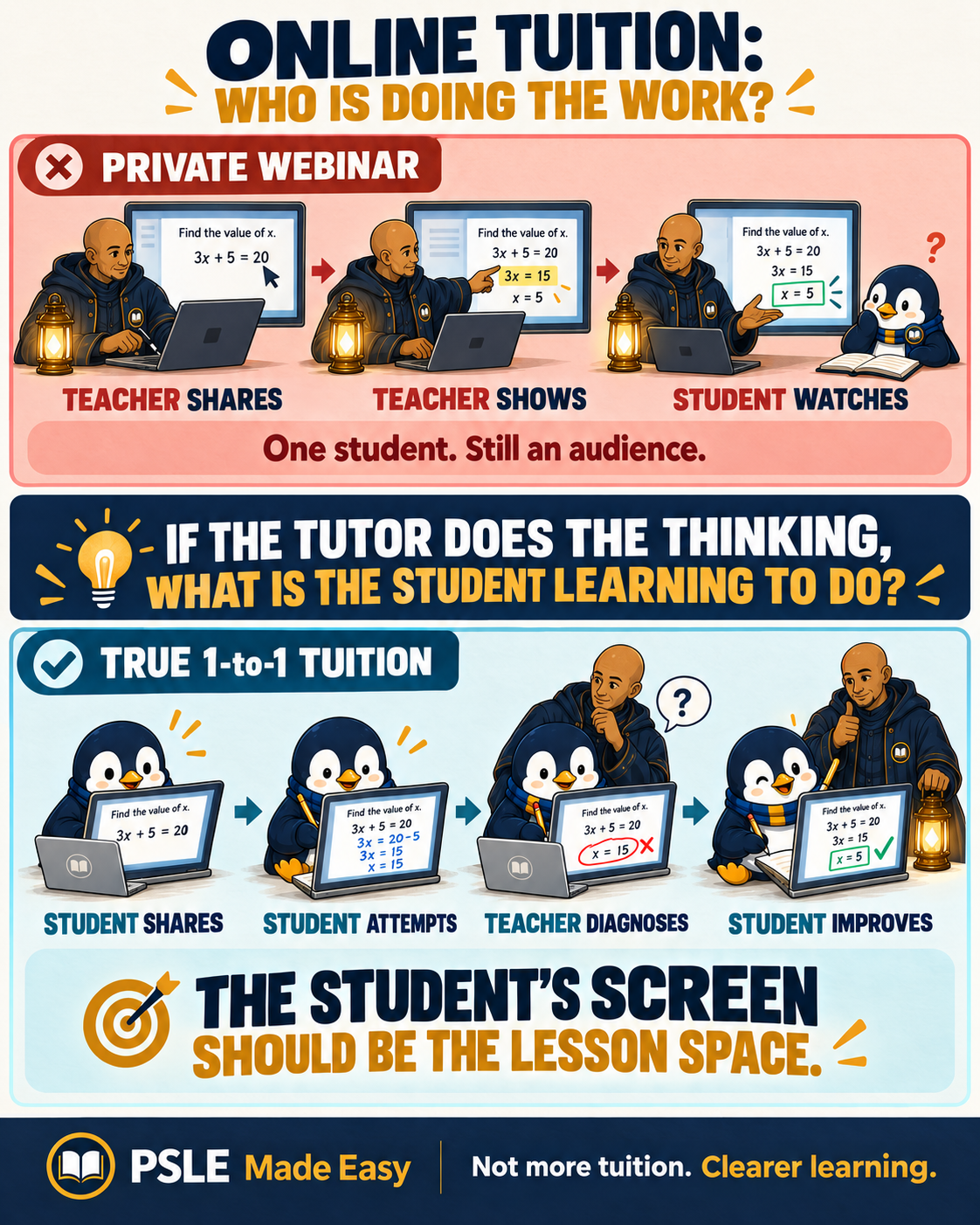
A one-to-one lesson is not automatically personalised just because only one student is present. If the teacher controls the worksheet, highlights every clue and demonstrates every correction, the student may still be learning as a passive viewer.
For genuine one-to-one support, the student’s thinking must become visible. The student should share their own screen and work directly on their own worksheet. The teacher should observe, question, diagnose and step in when needed.
Parent Note
A busy teacher screen can look impressive. It can also hide how little the child is actually doing. The real value of one-to-one tuition is not simply receiving an explanation; it is allowing the teacher to see how the child reads, chooses, checks and corrects.
A useful question is not only, “What did the tutor teach today?” Ask, “What did my child do, explain and improve during the lesson?”
Student Note
“The worksheet should be in your hands. You attempt. You highlight. You explain. You correct. The teacher is still watching—and ready to step in.”
① A Simple Setup First ▼
The setup does not need to be complicated. The student needs a laptop or tablet, the worksheet in PDF form, a way to annotate it and screen sharing during the lesson.
Two easy options
Microsoft Edge
Best for a Windows laptop. Open the PDF directly, highlight clues, draw or underline, add notes and save the annotated copy.
Goodnotes
Useful on an iPad or tablet, especially with a stylus. Import the PDF, write naturally on the worksheet, highlight evidence and record corrections on the page.
The basic setup
PDF worksheet → Student opens and annotates → Student shares screen → Teacher observes and guides
The camera and conversation can continue as usual. The shared worksheet simply becomes the main working space.
② The Private Webinar Problem ▼
A lot of online one-to-one tuition follows the same pattern: the teacher shares the screen, opens the worksheet, explains the answer, highlights the clues and shows the student what to do. The student watches, listens and responds occasionally.
What it looks like
Teacher demonstrates → Student watches
It appears personalised because there is only one student. Yet the learning process can remain almost entirely teacher-led. Technology has recreated a classroom lecture for an audience of one.
③ A Better Learning Loop ▼
The student’s screen should be the main lesson space during practice, diagnosis and correction. The student attempts first. The teacher watches the process, asks questions and identifies the point where the thinking went wrong. The student then makes the improvement.
Student attempts → Teacher diagnoses → Student improves
The teacher can still share a screen when introducing a new concept, showing a model or referring to teaching material. After that short input, the student resumes sharing their own worksheet and doing the work on screen.
④ What the Student and Teacher Should Do ▼
The student
Opens the paper, controls the document, reads the question, highlights clues, explains choices, attempts corrections and records what was learnt.
The teacher
Observes closely, asks for reasoning, tests assumptions, gives prompts, introduces a model when necessary and intervenes only when the student needs the next step.
Important: Giving the student control does not mean leaving the student alone. Ownership still needs a safety net. The teacher passes over the pen while continuing to hold the other end of the rope.
⑤ Why Visible Thinking Matters ▼
The real value of one-to-one tuition is not merely knowing that an answer is wrong. It is seeing how the student arrived there.
The teacher can diagnose whether the difficulty is
- misunderstanding the passage or question
- weak vocabulary or collocation
- missing a grammar clue
- guessing carelessly
- using evidence imprecisely
- failing to check the question demand
When the student controls the worksheet and explains each move, these differences become visible. Feedback can then address the actual weakness rather than simply reveal the correct answer.
⑥ The 70–90% Student-Screen Target ▼
70–90%
A useful target for student-screen time during diagnostic and correction work
This is a teaching target, not a rigid timer. A new concept may require more teacher modelling. Practice and correction should return control to the student as soon as possible.
Keep the answer key hidden first
The reference answer key stays on the teacher’s side at first. It becomes the checking standard only after the student has attempted to explain, diagnose and improve the answer. Correction should develop judgement, not dependence.
A practical parent check
During most practice, who is controlling the worksheet?
Is the student explaining choices and making corrections directly?
Can the tutor identify why the mistake happened—not just what the correct answer is?
Sources and Tool Guides ▼
Microsoft: PDF reader in Microsoft Edge
Official overview of opening PDFs and using ink, highlighting and notes.
Goodnotes: Import files into Goodnotes
Official guide to importing files for markup and annotation.
The PME Principle
“The more personalised the tuition is supposed to be, the more visible the student’s thinking should become.”